
 (0034) 676 662 128
 service@sebitec.net
Start Windows 11 in Safe Mode
28.06.2026 • sebitec Redaktion • 4
images
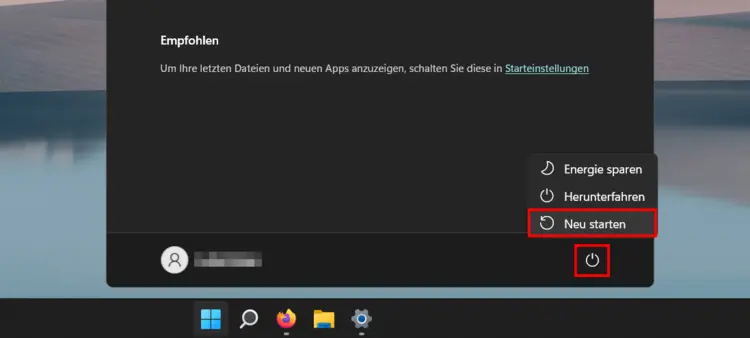
If you are already in Windows 11, please do the following:
- Click the Windows icon in the taskbar
- Hold the Shift button while clicking the on/off icon, then click "Restart"
- The computer now starts in repair mode
- In repair mode, select the point "Problem Treatment"
- Select the point "Start settings"
- Select point 4, 5 or 6 for the start settings (press the corresponding key on the keyboard)